By Dr. Raj Bhole
The same word can hide different states
When one team uses “Final” to mean ready for review while another uses it to mean approved for use, staff may misunderstand the document’s actual status. People may open the wrong version or assume that a decision has already been made.
Document status labels are useful only when teams agree on what each label means and when it should change. Start by mapping the approval and revision process rather than creating a long list of labels.
Choose a small, distinguishable set
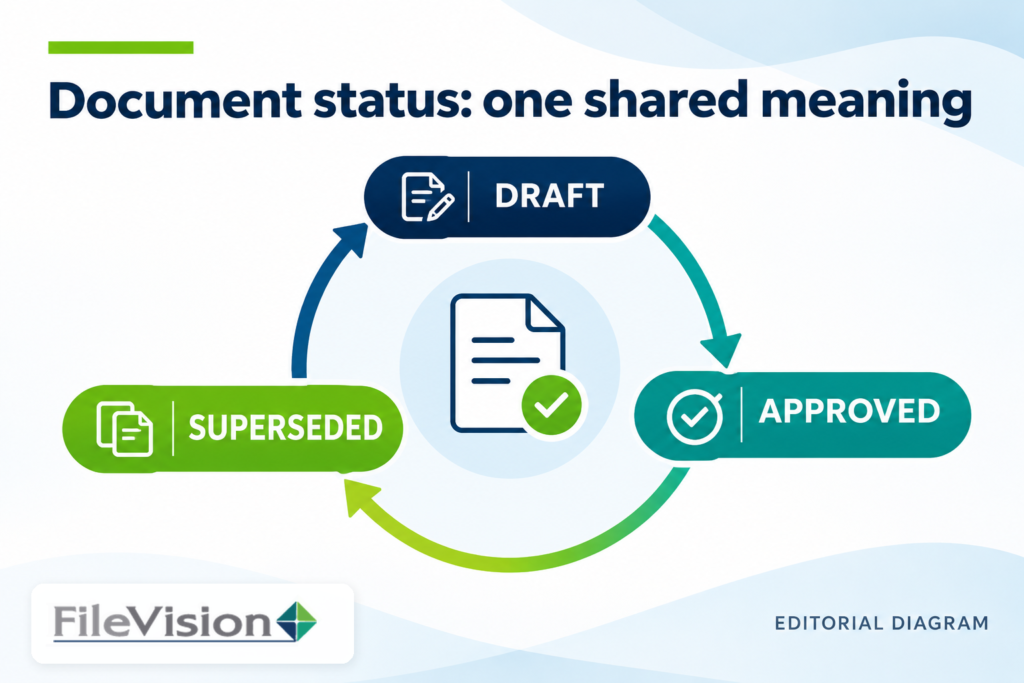
A practical set of document statuses might include Draft, In Review, Changes Requested, Approved, and Superseded. These are examples, not mandatory FileVision system statuses. Adjust them to match actual processes.
Define each status in one clear sentence and document the evidence needed to apply it. “Approved” should describe a recorded decision by an authorized role on a specific version. “Superseded” should identify a version replaced by a newer authoritative one.
Assign responsibility for transitions
For every status change, identify who may request it, who has authority to confirm it, and what supporting information must be recorded. A document creator might request review without being empowered to approve their own work.
Include a clear process for returning documents from review to revision. Without a clear path, staff often rename a file to “Final 2” or “Final updated,” creating a parallel vocabulary outside the agreed process.
Keep names, dates, and status separate
A filename should help users identify a document without becoming the only place where its changing status is recorded. Distinguish document date, effective date, and review date when those differences matter to retrieval.
Use stable business references such as a project or supplier identifier where appropriate, but avoid unnecessary sensitive information in public-facing filenames or descriptive fields. Verify which fields the actual system makes searchable.
Test labels against real decisions
Test the definitions with realistic scenarios: an approved procedure awaiting distribution, a draft returned for corrections, and an outdated version retained for reference. Ask which label they would choose and why.
When team members disagree, clarify the existing status definition before adding a new label. A discussion of document and process management within the ALFO platform’s broad context can support planning, but configured functionality must be checked separately.
A shared status vocabulary helps employees identify the correct document version, understand its approval state, and know what action comes next. FileVision’s document and workflow management resources offer a starting point for evaluating how these definitions could support a more consistent process.
Learn more about document and workflow management in the wider FileVision context.
Explore the ALFO platform and its document-and-process context while confirming any proposed implementation against your actual requirements.