Exceptions are information, not clutter
A document arrives without a required identifier. Another appears to fit two document categories. A revised supplier form follows a route that no longer matches the filing guide. These are document workflow exceptions: records that cannot be processed confidently under the standard rules. Assigning them to the nearest folder may hide the unresolved question. A documented exception-handling process helps teams protect the original record, identify who can make a decision, and resume processing without guesswork.
The goal is a short, traceable route from uncertainty to a verified disposition—not a permanent miscellaneous queue. Keep the exception distinct from the underlying business approval, and use only the access and retention controls authorized for the record.
Recognize the different reasons an item does not fit
Some exceptions involve classification: no defined document type appears to fit. Others involve missing information, unclear ownership, an unexpected version, or an access question. These situations require different decisions.
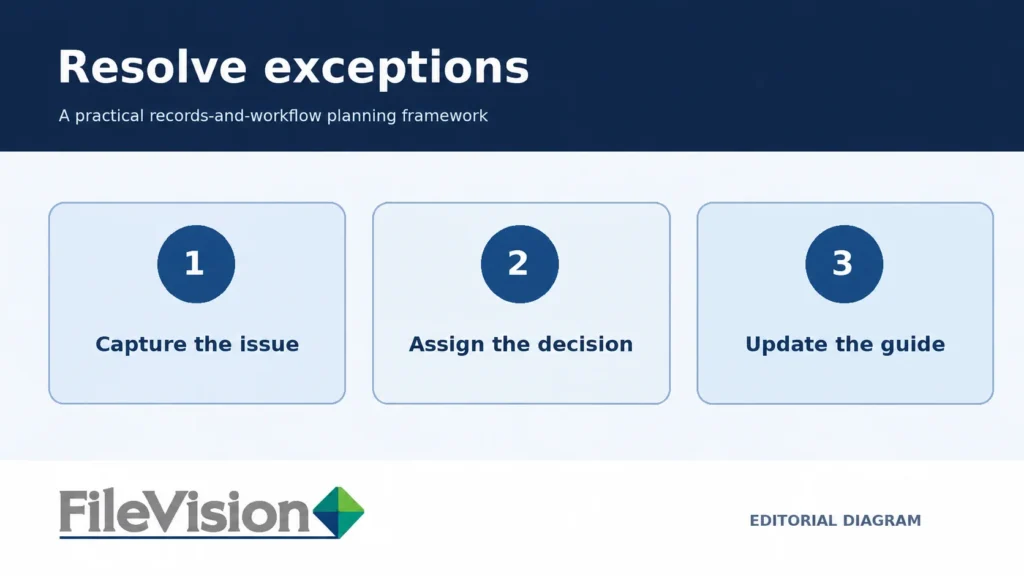
Use a short intake note to capture what is known and why normal processing has stopped. Keep it descriptive, not accusatory. For example, “customer identifier absent” gives the next reviewer a concrete issue to resolve; “bad file” does not.
Assign temporary custody and a decision owner
Uncertain records still need a responsible custodian. Specify where the document is held, who may inspect it, and who decides its final class or processing path. Temporary custody is not the same as authorization to change access rights or approve the underlying business decision.
Set an escalation path for situations involving confidentiality, missing approvals, or conflicting directions. A records coordinator may resolve a naming question, while a process owner or administrator may need to address a larger access or workflow issue.
Record the resolution once
For each exception, capture the issue, classification or workflow decision, decision maker, and final destination. Link that decision to the document’s business reference so another colleague can understand it later.
Avoid duplicating the same file in multiple locations to satisfy competing classifications. Where the environment allows multiple descriptive fields, plan around those relationships. Confirm actual system behavior rather than assuming a feature exists.
Use patterns to improve the normal process
An exception log is most valuable when it reveals recurring ambiguity. Review which classes generate the most questions, whether required fields are regularly missing, and where the decision route is too slow.
Test one clarification at a time: a better example in the filing guide, a revised intake question, or a more precise status label. The broader relationship between documents and processes is relevant to the ALFO platform’s positioning, but your team must validate the precise operating design.
Treat exceptions as evidence that a filing rule, intake field, or decision path may need clarification. When the issue is resolved, record the decision and notify the appropriate process owner so similar records can follow a clearer standard route. FileVision’s document and workflow management information and the ALFO platform overview provide further context, but teams should confirm actual capabilities, governance requirements, and implementation details before adopting a process.
Document Workflow Exception Checklist
- Capture the original record and its business reference without changing or discarding source information.
- Record what prevented standard processing: classification ambiguity, missing fields, uncertain ownership, version conflict, or access restrictions.
- Assign authorized temporary custody and name the decision owner and escalation route.
- Document the decision, responsible approver, final processing destination, and the date of resolution.
- Review repeat exceptions to decide whether intake instructions, categories, or workflow guidance need improvement.
Frequently Asked Questions About Document Workflow Exceptions
What is a document workflow exception?
It is a record that cannot follow the usual intake, classification, approval, or filing path without clarification or an authorized decision. Examples include missing identifiers, uncertain categories, and conflicting versions.
Should an exception document be placed in a miscellaneous folder?
A temporary holding location may be appropriate if it follows established access, retention, and review rules. It should have an owner and resolution path rather than becoming an unmonitored storage location.
Who should approve the resolution of a document exception?
The authorized owner depends on the issue. A records coordinator may address a documented classification rule, while access, confidentiality, or underlying business approvals may require a different designated authority.
How can recurring document exceptions improve a workflow?
Review exception patterns to identify unclear instructions, missing intake fields, or slow escalation paths. Test specific improvements and verify that they fit the organization’s documented procedures and system capabilities.
Learn more about document and workflow management in the wider FileVision context.
Explore the ALFO platform and its document-and-process context while confirming any proposed implementation against your actual requirements.